
'/%3e%3cdefs%3e%3clinearGradient%20id='paint0_linear_585_708'%20x1='18.3077'%20y1='15'%20x2='-6.45569'%20y2='13.2013'%20gradientUnits='userSpaceOnUse'%3e%3cstop%20stop-color='%237E4DC5'/%3e%3cstop%20offset='1'%20stop-color='%23B17BB1'/%3e%3c/linearGradient%3e%3c/defs%3e%3c/svg%3e)



The tiny but mighty Orion team has a new release ready to download: Orion 1.1 for macOS.
This version has numerous bug fixes and improvements, but the real prize is a set of new features like containers, a dynamic and colorful browser border, interface updates, and more functionality for translations.
Containers
Containers are brand new to Orion, but anyone who has used Firefox may already be familiar with them.
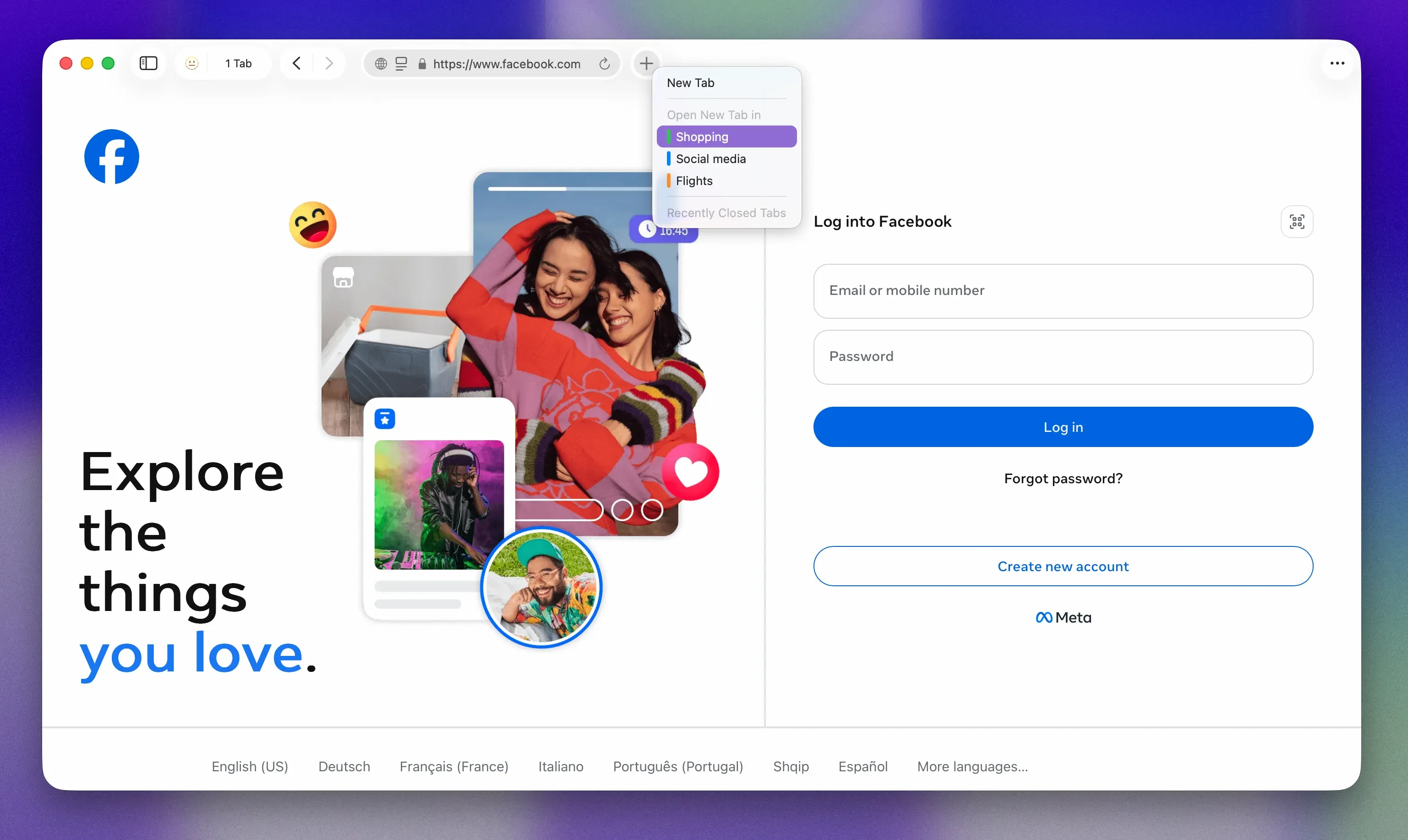
Containers are a simple way to keep accounts separate without having to switch browsers, open private tabs, or log in/out multiple times. For example, if you run multiple social accounts on Mastodon or X, you can give each its own container and stay logged in all the time. No more accidentally posting on the wrong account; your identities stay separate.
You can also use containers to keep sites from gossiping about you. Booking a trip? Open your flight search in one container and your hotel search in another. The sites won’t be able to use your previous activity to shape prices.
Containers are available for all Orion users. Orion+ subscribers will soon be able to open every new tab as a container by default. As far as we know, no other browser ships with this switched on, and that’s something we are quietly proud of.
Browser Border
Orion+ members get an exclusive feature: browser borders. It’s because of them that we exist and can continue improving Orion, so it’s just a small way of saying thanks.
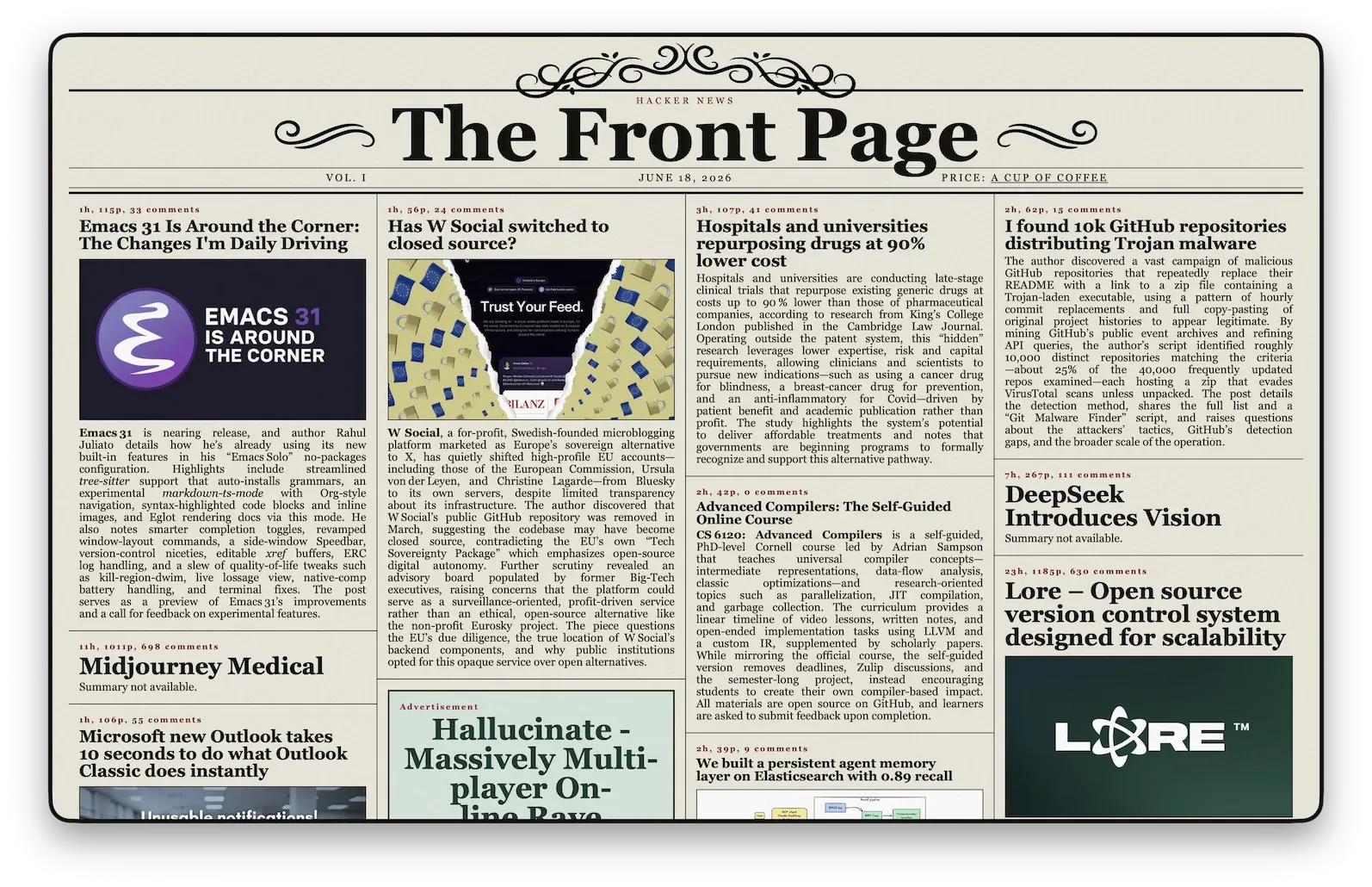
Browser borders add an extra touch of visual refinement to the Orion experience. Switch them on and you can choose a color to display around the edges of the browser window. Choose the border size, pick solid colors, gradients, transparency strength, and even toggle animations.
Used in conjunction with Focus Mode, which hides the browser UI for a cleaner, distraction-free look, the border really adds some visual shine. It’s also a great way to add brand colors to screenshots.
Looks nice, eh?
Interface Updates
Apple's Liquid Glass is a quiet graphic revolution, but it comes with some technical and UX challenges. After many lively discussions and tense tests, the Orion team created our own Liquid Glass interface. We’ve now decided to step back, learn from our mistakes (and the mistakes of others), and take a new direction.
The Orion 1.1 interface refresh opts for more space in compact mode, removes excessive icons*, and gathers everything under a single, easy-to-access icon.
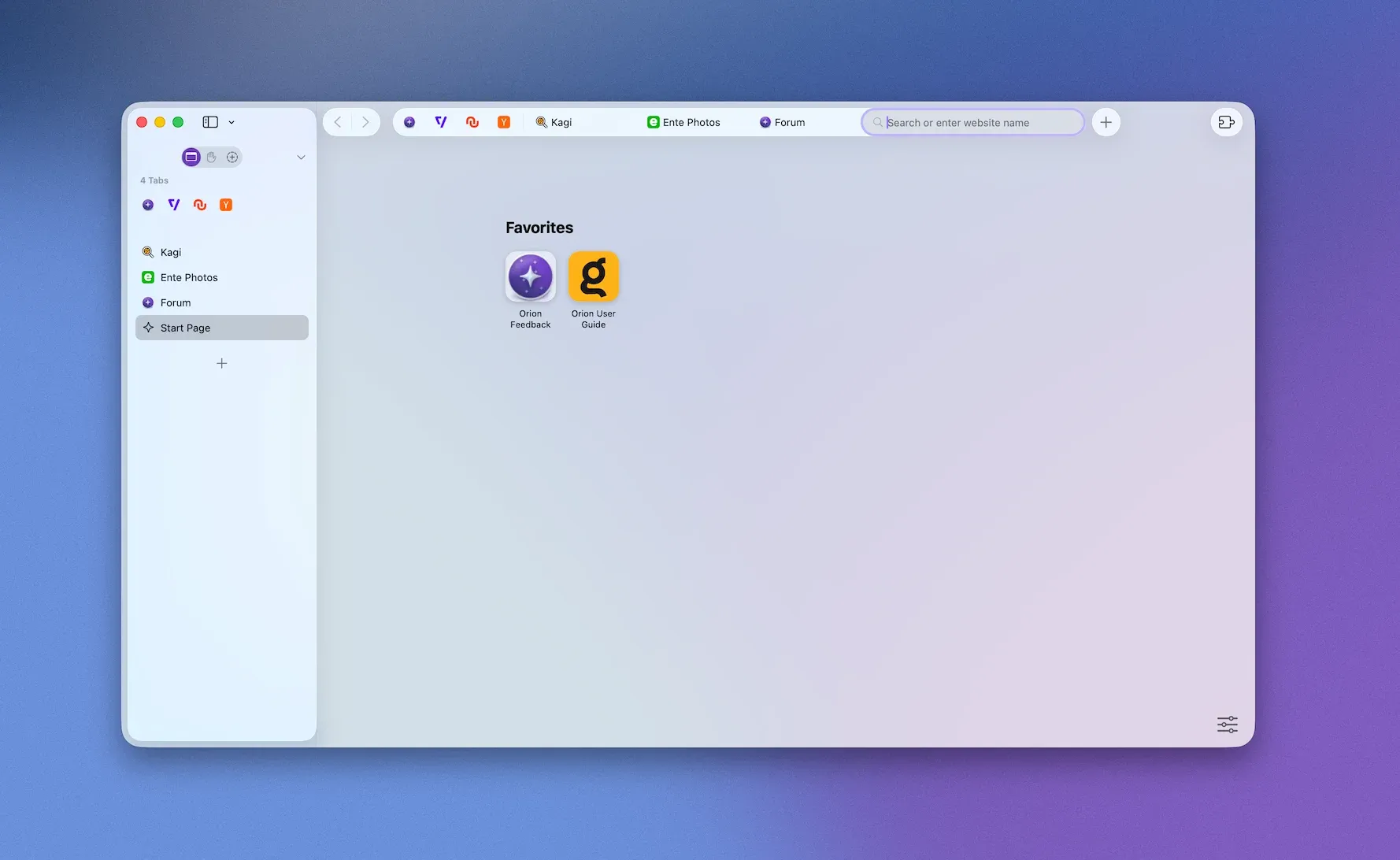
- About those removed icons: they haven’t disappeared. They’ve been grouped under a single icon to keep things clean and readable. If you want to toggle this yourself, head to Settings > Appearance > Group searchbar status indicators.
On-page and Offline Translations
Previously, if you wanted to use Kagi Translate on text or on a full page, Orion would open a new tab. Now, this is no longer necessary, as your content will be translated directly on the page!
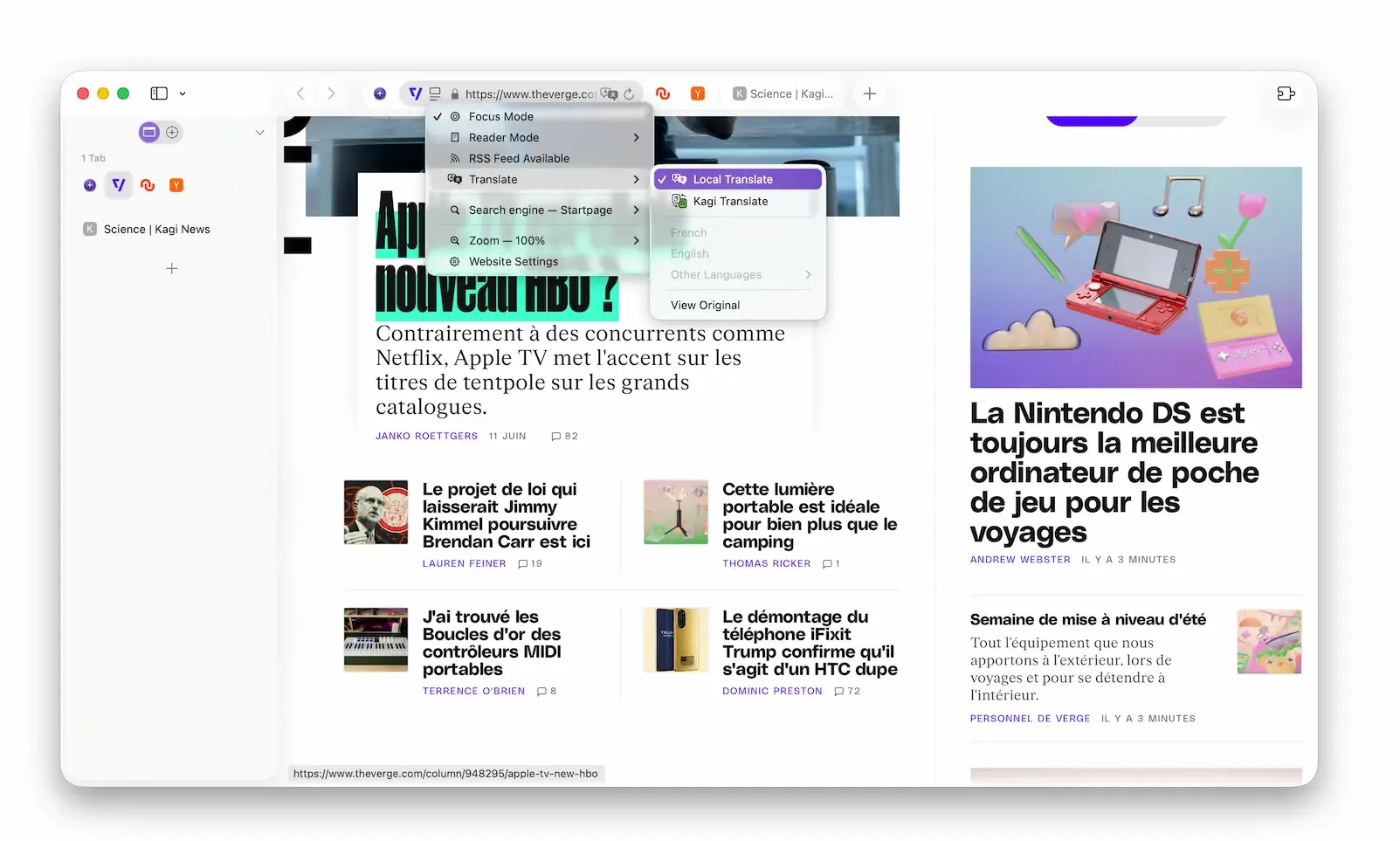
Offline translation is also now available. No internet access? No problem. Orion can translate text without it. This also means data never leaves your device, so privacy is baked-in. Note that this feature uses Apple's local translation and is only for macOS 26+ users.
We hope you have as much fun using Orion as we have creating it for you.
As a reminder, Orion is available on iPhone and iPad, coming soon to Windows, and very soon to Linux. Stay up to date on the latest features and releases at orionbrowser.com, or catch news as it happens on our X account: https://x.com/OrionBrowser As always, if you run into any bugs, don't hesitate to tell us about them at orionfeedback.org.